Start JupyterHub
In a terminal, type:
jupyterhub --Authenticator.allow_all=Trueor
jupyterhub --port 8080 --Authenticator.allow_all=Trueto run jupyterhub on a port.
What happened?
We started JupyterHub! It’s running on the port we specified, or 8000 by default if you didn’t specify. It’s using almost all the default configuration, which should work.
Open the port specified, e.g. http://127.0.0.1:8000 if you ran it on the machine you are looking at,
or the public IP if it is a remote machine.
You should see a login form that looks like this:
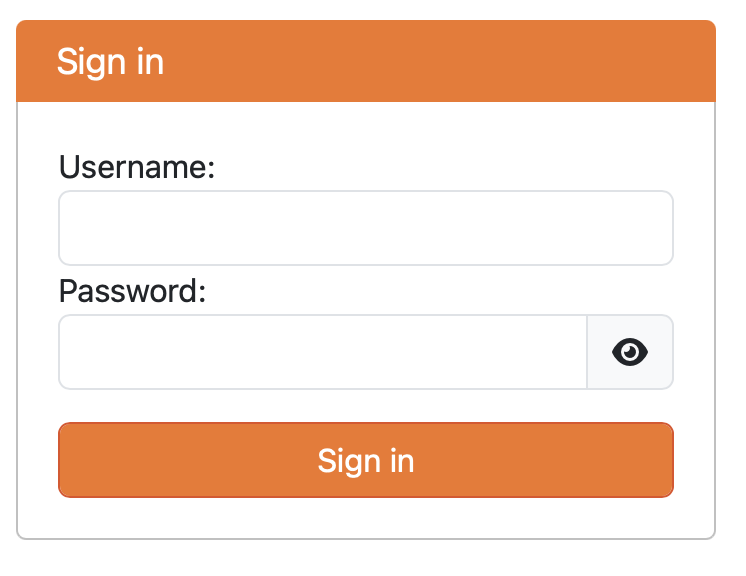
Authenticate with the Hub
We are now faced with a username and password. But what username and password?
JupyterHub uses something called an Authenticator that defines how users login. Generally, these defer to an external identity provider such as your local system or institution.
The default Authenticator that comes with JupyterHub uses PAM, which is the authentication mechanism for your local machine. This means that the information you need to enter is your username and password for the machine.
What happened?
JupyterHub has
relayed your username and password to PAM to authenticate that you are really you
received from PAM that your username and password are correct
checked your username against the allowed users, which we set to: everybody who can successfully authenticate with PAM (more later)
you will see this progress page:

after a short period, you should see the familiar JupyterLab UI.
TODO: screenshot of your server
What happened?
JupyterHub has
relayed your username and password to PAM to verify that you are you
created a JupyterHub user with the given username
requested that the system launch a server using a Spawner (more later) as you
Explore the Hub and its User Interface
View JupyterHub log in the terminal
Proxy is started when typing jupyterhub.
In this case, configurable-http-proxy is started.
TODO: log snippets
Unpack the URL
TODO: Explain: server/user/username/tree
Start and Stop a user’s notebook server
- Start and Stop Server for the UserStop JupyterHub
Control-C in the terminal to stop JupyterHub
Key Concepts
JupyterHub is not significantly different than the Jupyter Server launched when you type
jupyter lab. JupyterHub is a single-process web application based on the tornado web server, just like Jupyter Server.JupyterHub relies on three major building blocks:
a proxy to route network traffic
an authenticator to verify users should be able to access the hub
a spawner which is responsible for creating a single user notebook server for each user
The deployment to this point uses:
the configurable
-http -proxy to route the user to the hub for authentication. the default Authenticator which uses PAM and a username and password to authenticates a user
All users (
allow_all=True)
The default spawner, a local process spawner, which the hub directs to spawns a notebook server for each user as a local process.
At this point, no admin stuff has been discussed.
Extend your learning
Modification: Set up an ssh tunnel [See assumptions above]